FI for Google Chat
Ask FI about your cloud costs, savings and budgets without leaving Google Chat. FI is FinOpsly's FinOps Intelligence assistant: ask in plain language and get answers from the same FinOpsly data you already see, limited to your role and business units.
Book a demo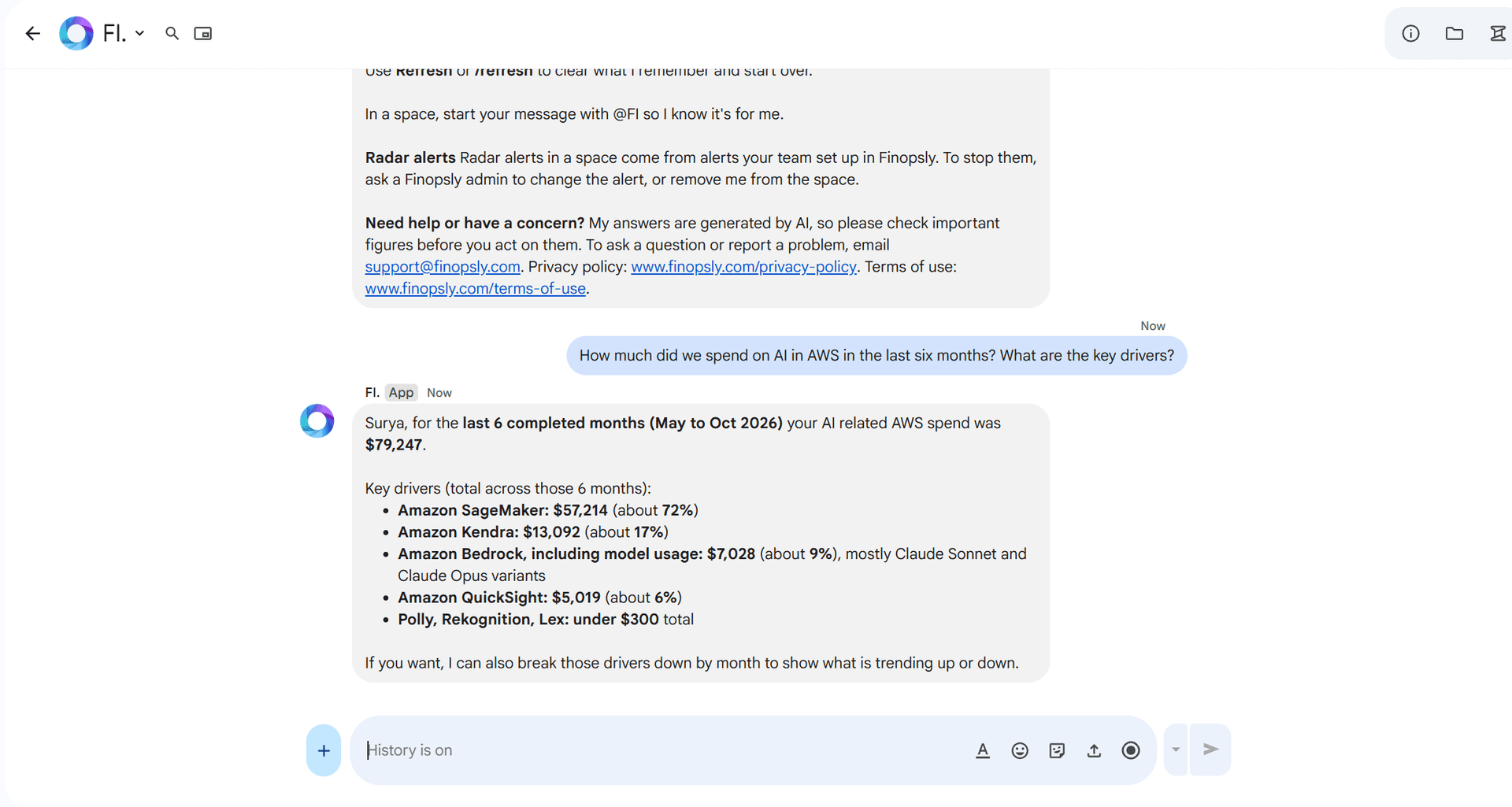
What FI helps you with in Google Chat
FI surfaces FinOpsly's cloud and FinOps intelligence through natural-language conversation. Core capability areas include:

Cost & Usage
Analyze spending and usage patterns across services, accounts, regions, and time periods, with period-over-period comparisons.

Realized Savings
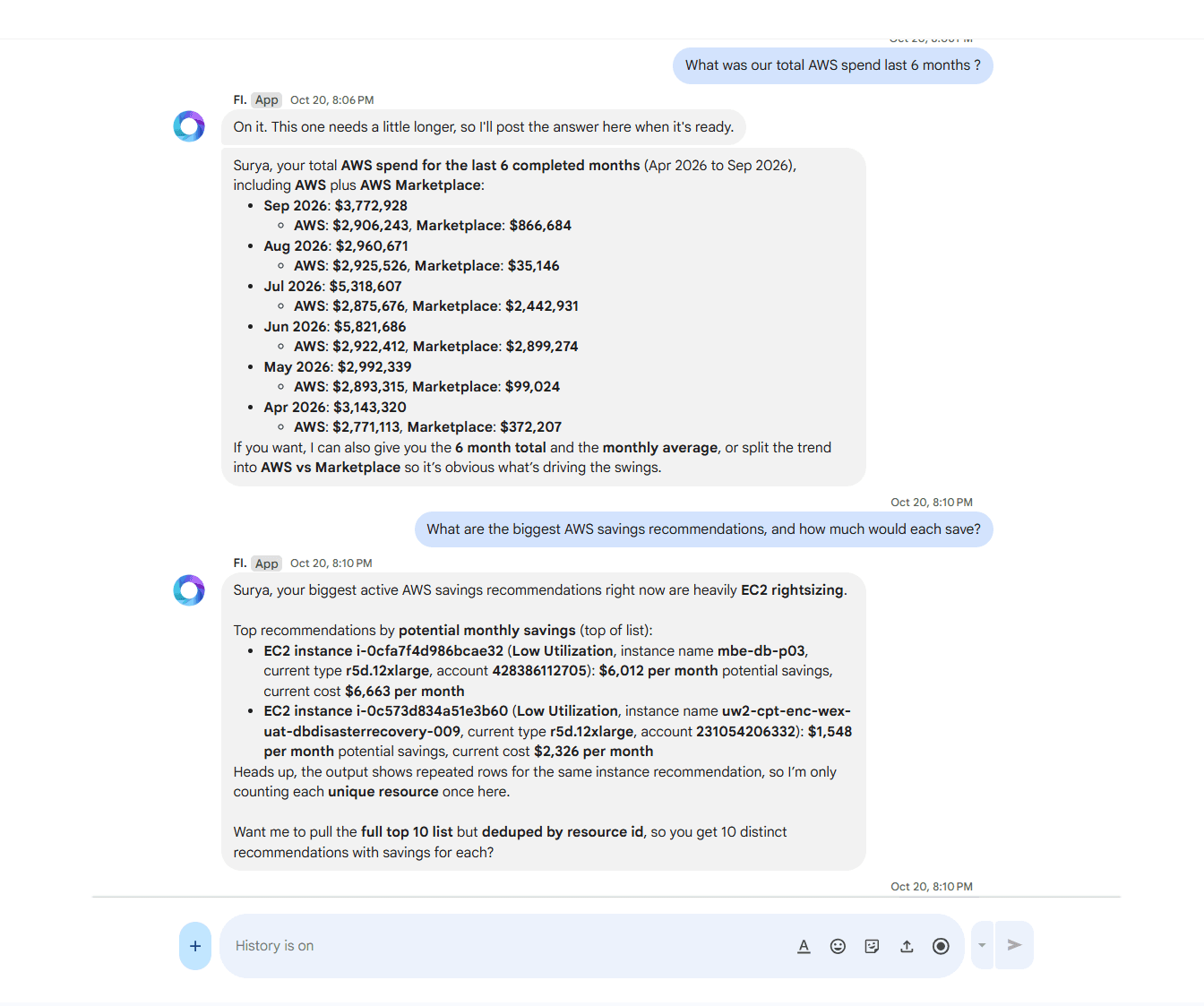
Savings outcomes, commitment-based discounts, and recommendations to improve efficiency.

Budgets
Track budget versus actual, review variance, and forecast total spend at the organization or business-unit level.

Tag Intelligence
Identify tagging compliance, coverage gaps, and cost attribution across resources and projects.

Rightsizing Recommendations
Surface overprovisioned and underutilized resources with actionable sizing and optimization opportunities.

Anomaly RADAR
Detect and explain cost anomalies, spikes, dips, and unexpected changes in cloud spending.

FinOps Guidance
Clarify concepts and good practice when you need context beyond raw numbers.
FI in Google Chat
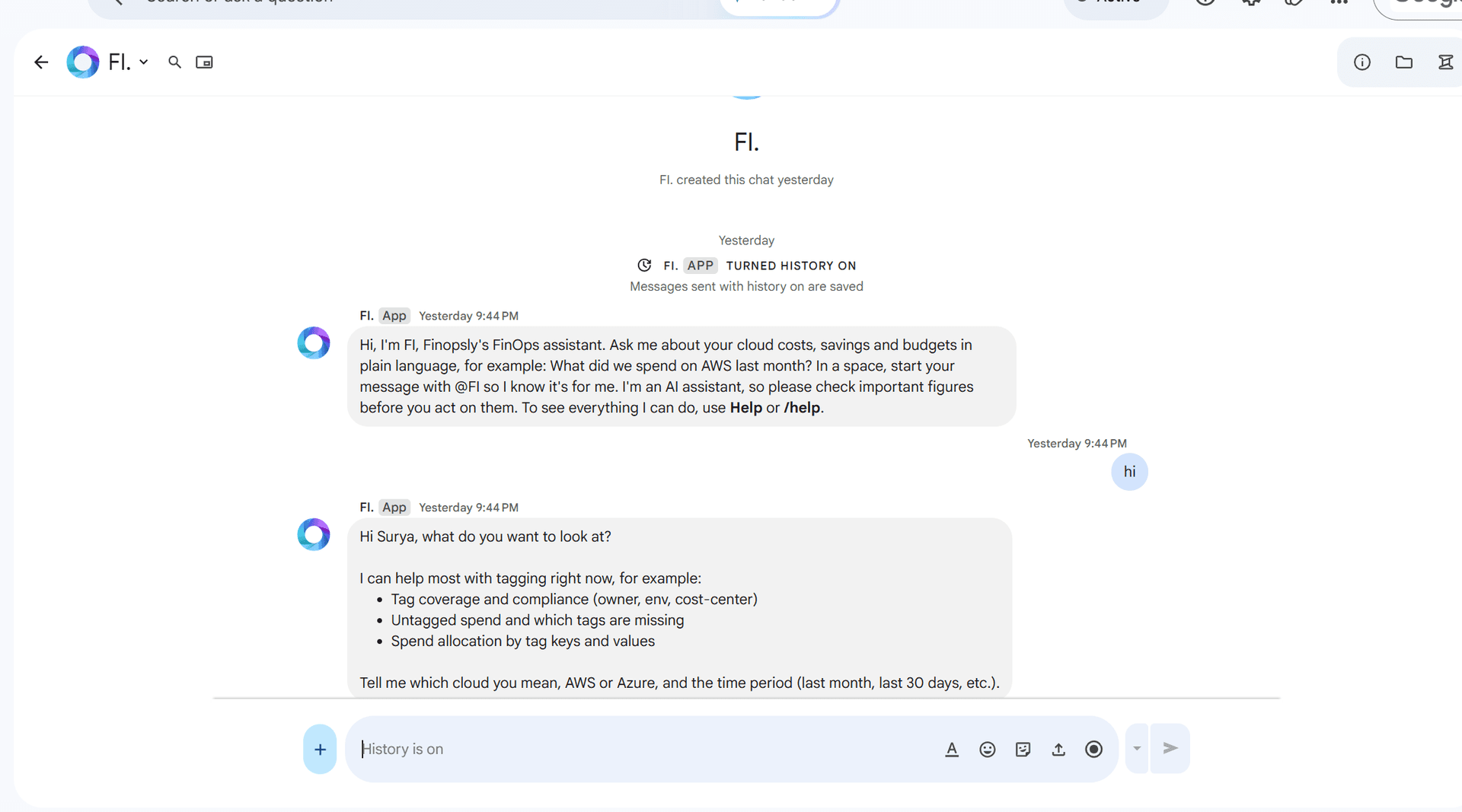 The welcome message in a new direct message with FI.
Get started

01
You need an active FinOpsly account with access to FI in Google Chat. Ask your FinOpsly administrator if you are not sure.
02
In Google Chat, choose New chat, then Find apps, and search for "FI - FinOps Intelligence Bot". You can also add it to a space and start your messages with @FI.
03
Get governed, scoped responses
Every answer is filtered by your organization's role-based access controls. You receive data precisely scoped to the business units and permissions configured for you no more, no less.
04
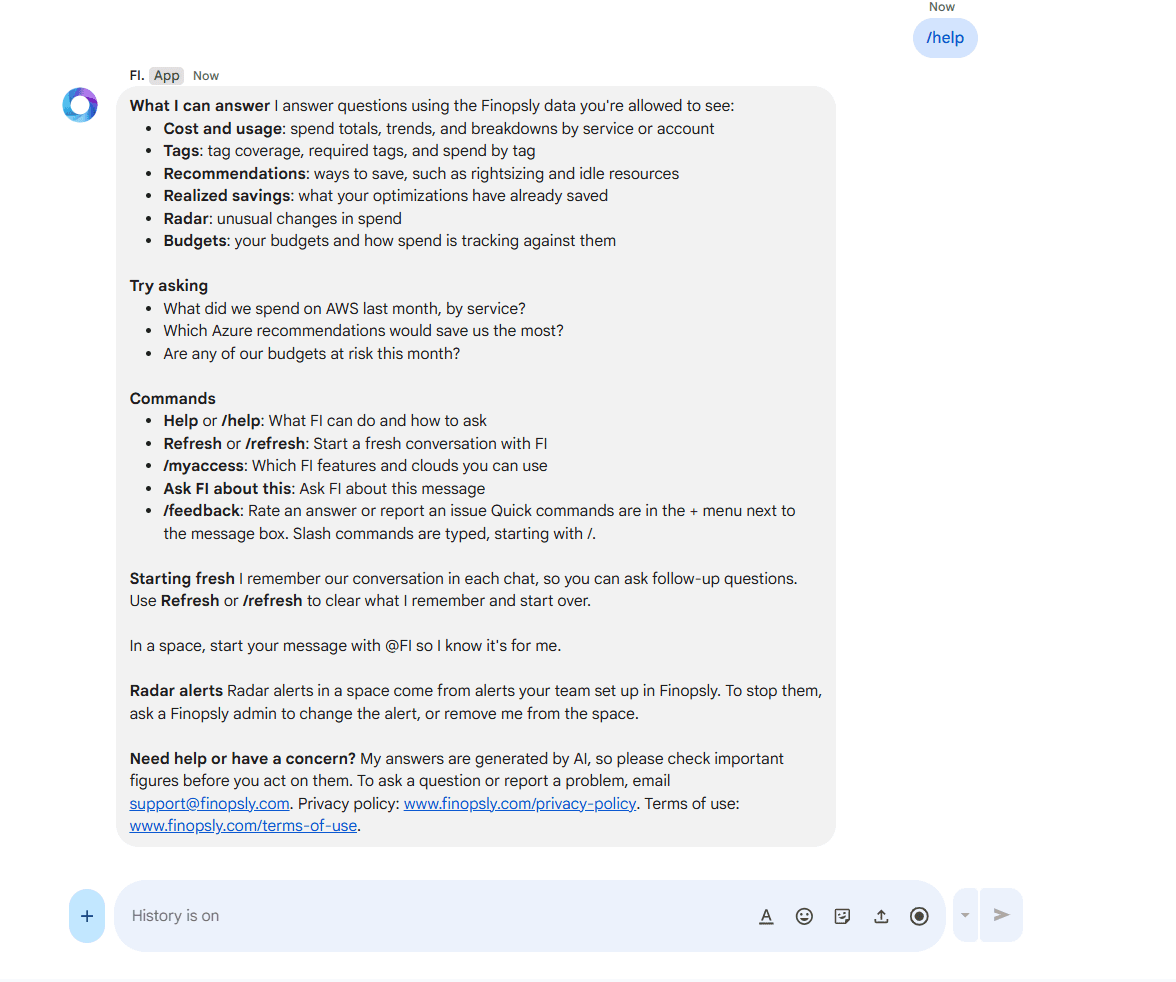
Type Help to see everything FI can do.
Commands
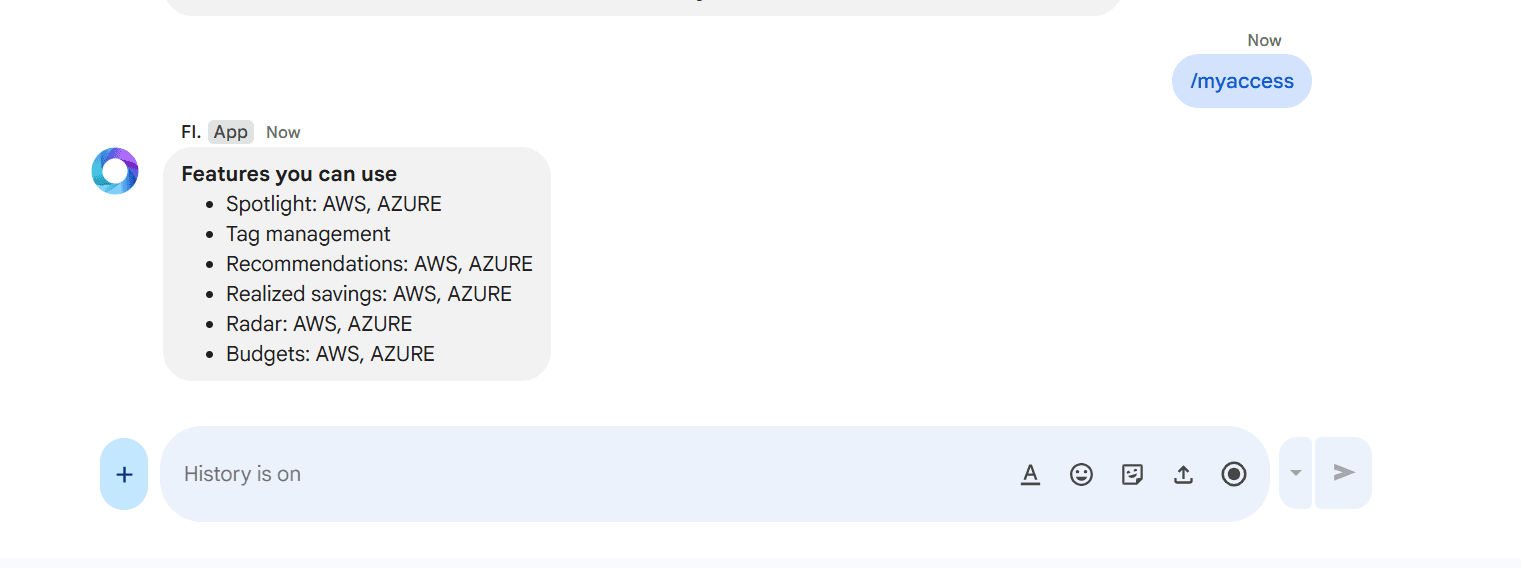
Helpwhat FI can doRefreshstart a fresh conversation/myaccessyour features and clouds/feedbackrate an answer or report an issueAsk FI about thisa message action

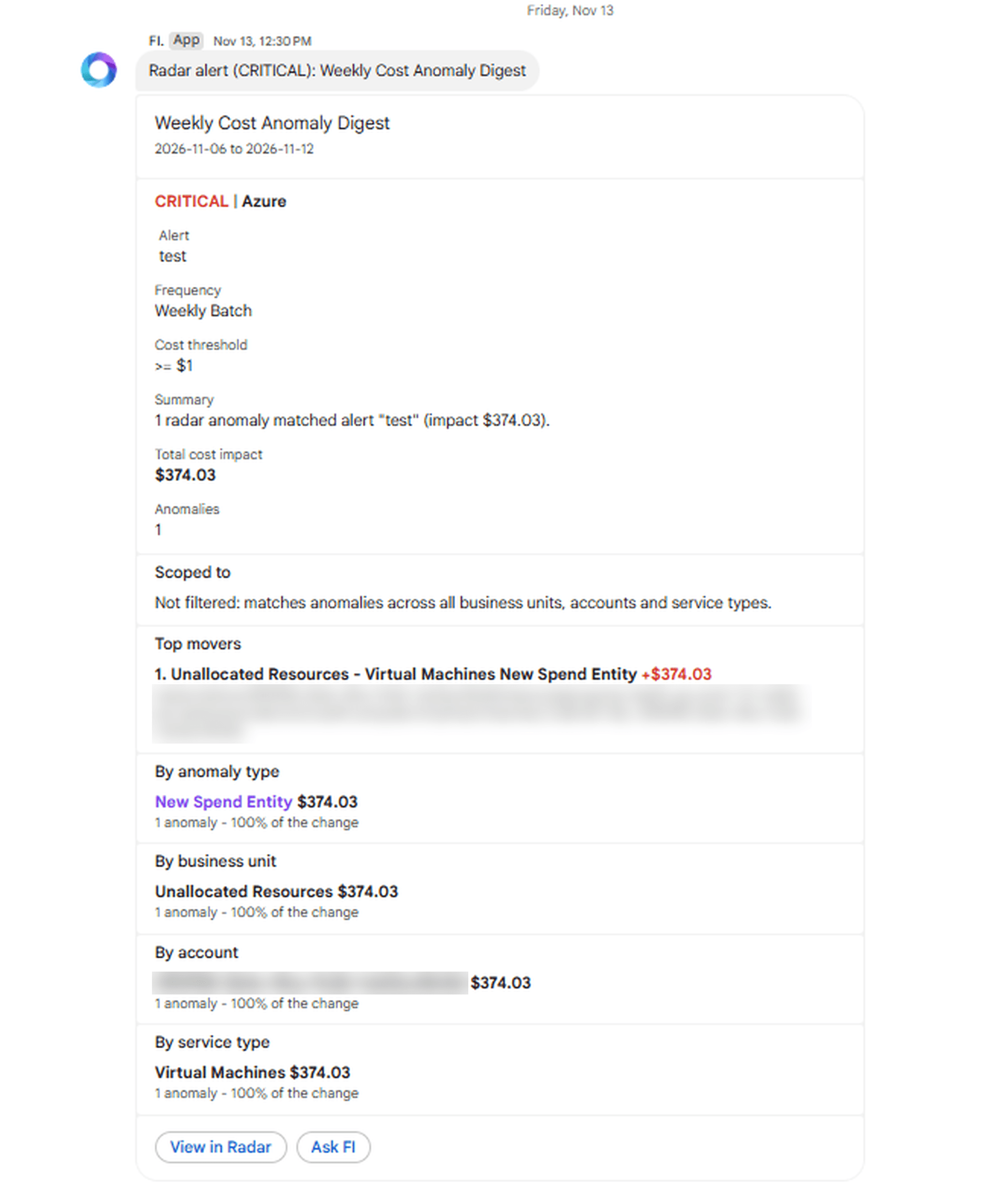
Radar alerts
Alerts in a space come from alerts your team set up in FinOpsly. To stop them, ask a FinOpsly administrator to change the alert, or remove FI from the space.
Support
support@finopsly.com, including to report objectionable or inappropriate AI-generated content. Terms of use.