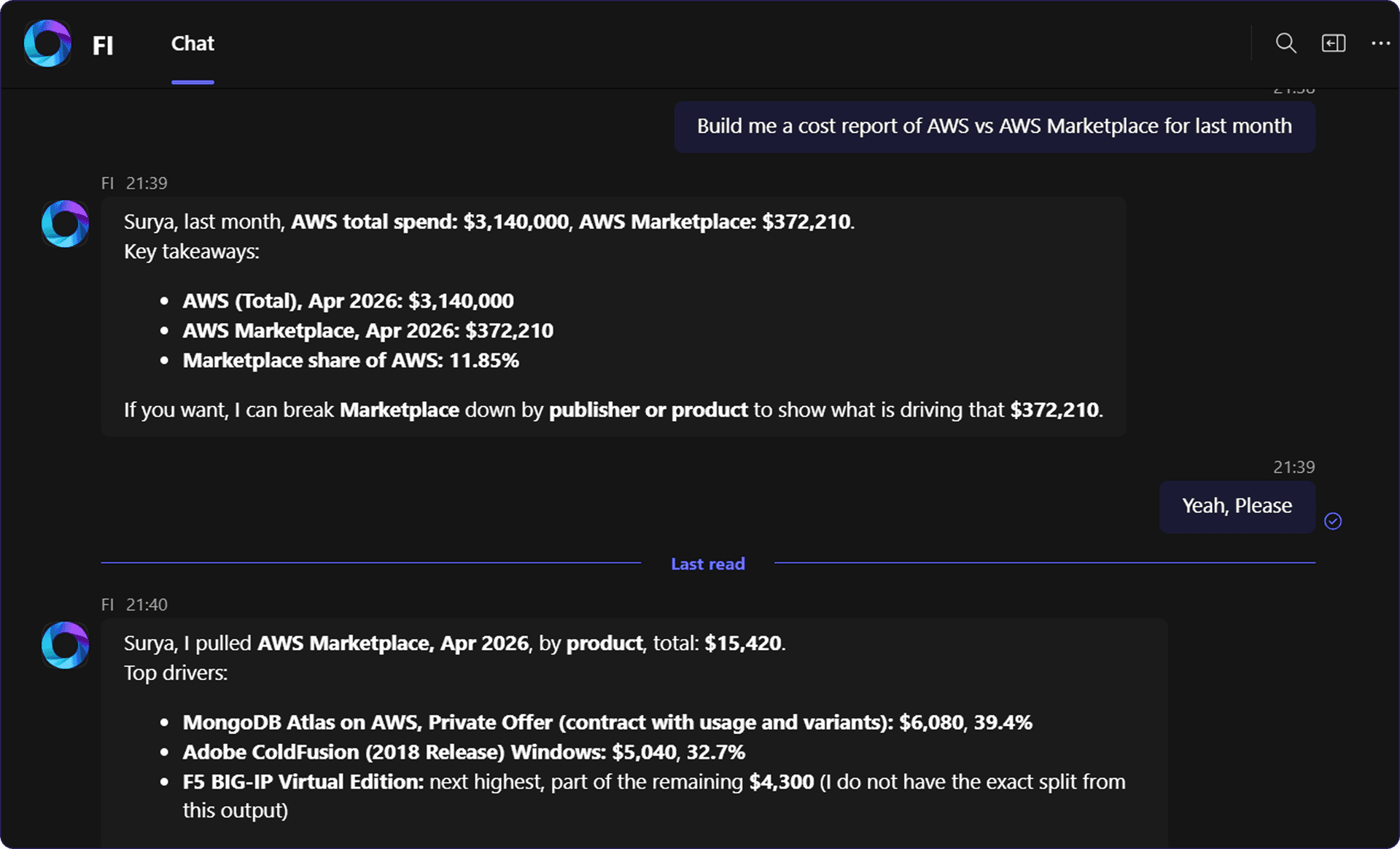
Cloud cost intelligence where you already work.
FI surfaces FinOpsly's cloud financial data through natural language in Microsoft Teams. No dashboards to open, no exports to run.
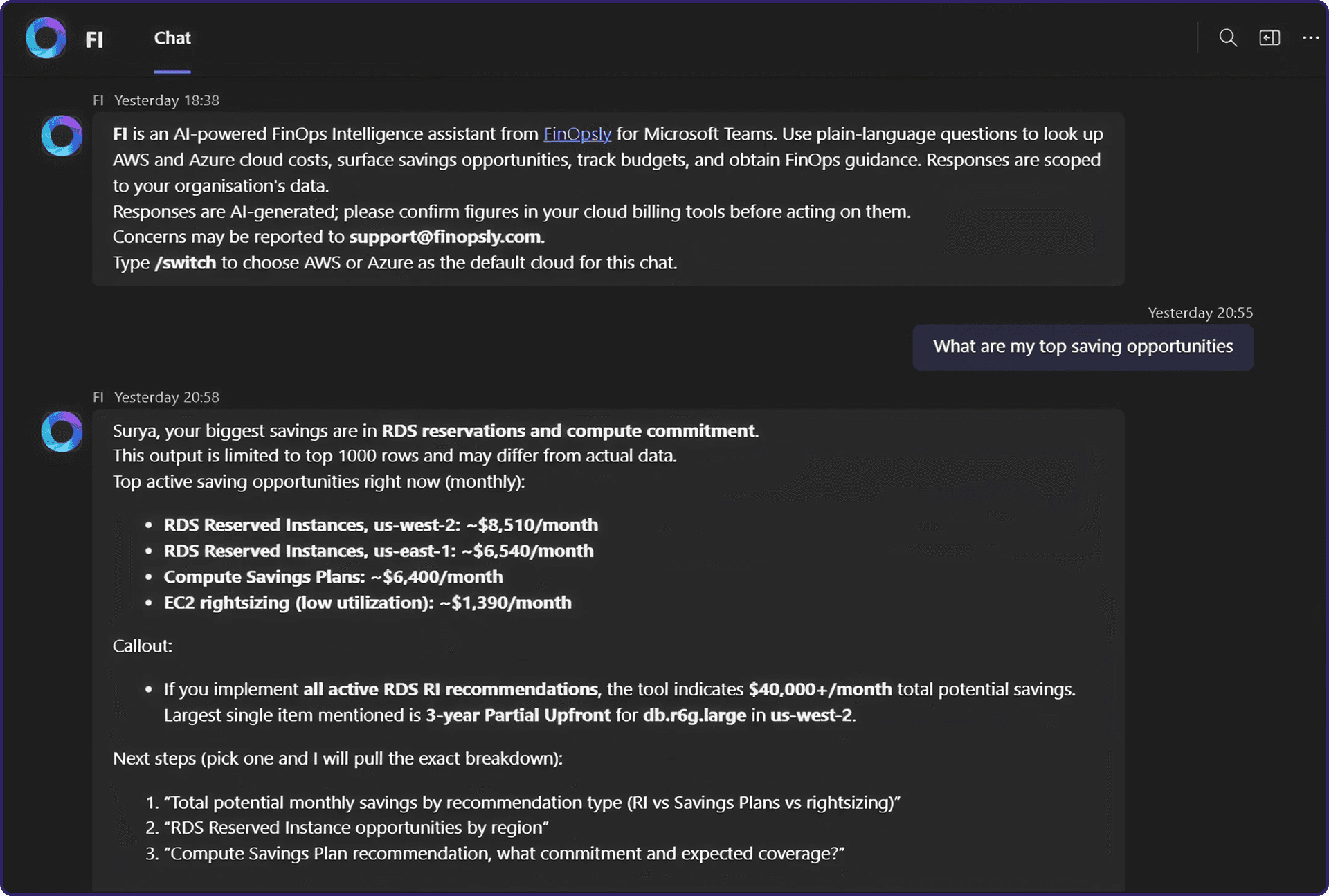
What FI helps you with in Microsoft Teams
FI surfaces FinOpsly's cloud and FinOps intelligence through natural-language conversation. Core capability areas include:

Cost & Usage
Analyze spending and usage patterns across services, accounts, regions, and time periods, with period-over-period comparisons.

Realized Savings
Savings outcomes, commitment-based discounts, and recommendations to improve efficiency.

Budgets
Track budget versus actual, review variance, and forecast total spend at the organization or business-unit level.

Tag Intelligence
Identify tagging compliance, coverage gaps, and cost attribution across resources and projects.

Rightsizing Recommendations
Surface overprovisioned and underutilized resources with actionable sizing and optimization opportunities.

Anomaly RADAR
Detect and explain cost anomalies, spikes, dips, and unexpected changes in cloud spending.

FinOps Guidance
Clarify concepts and good practice when you need context beyond raw numbers.
From Teams message to cost insight.
FI is available across the full range of Microsoft Teams conversation types
01
Connect FI to your Teams workspace
Your FinOpsly administrator provisions FI for Microsoft Teams. No complex setup. FI appears in personal chat, team channels, and group chats wherever your organization works.
02
Ask in plain language
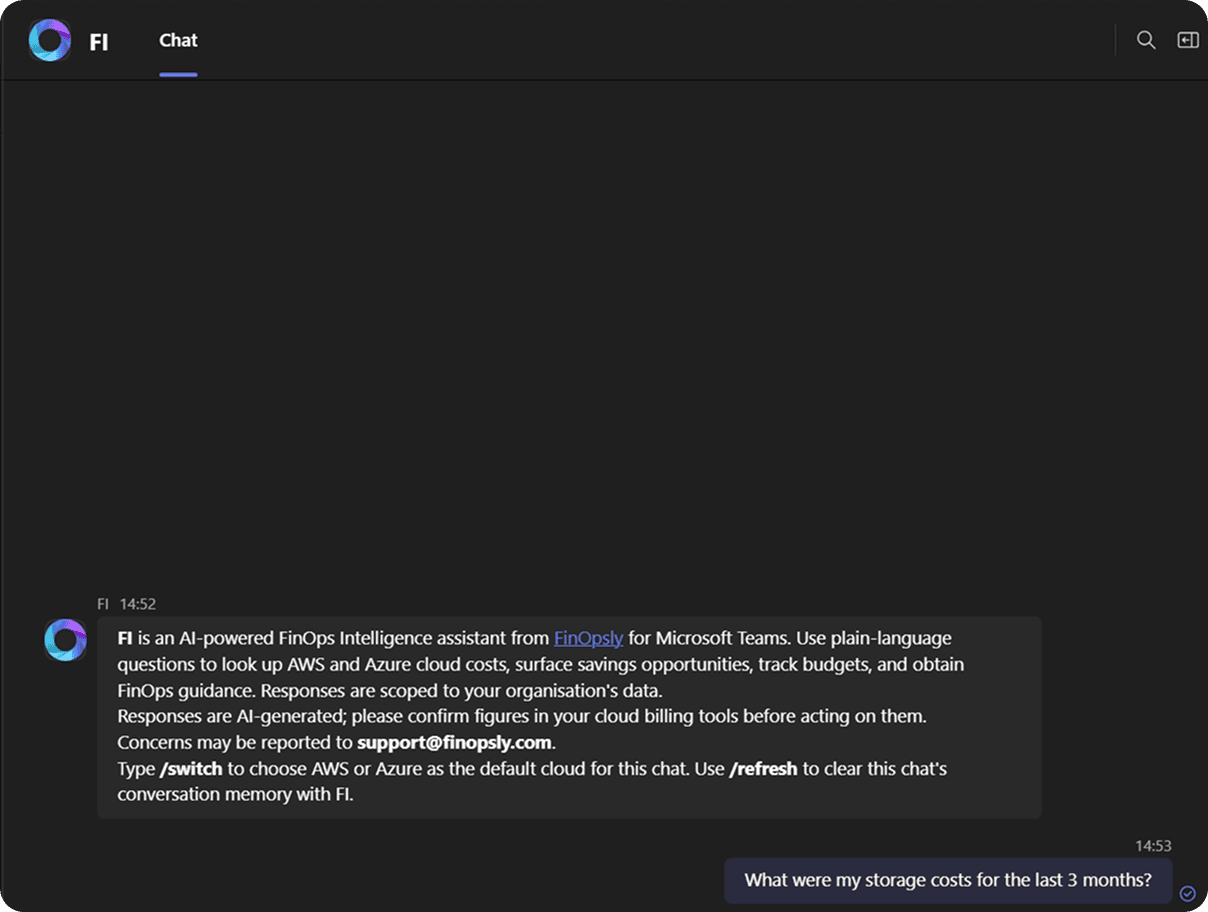
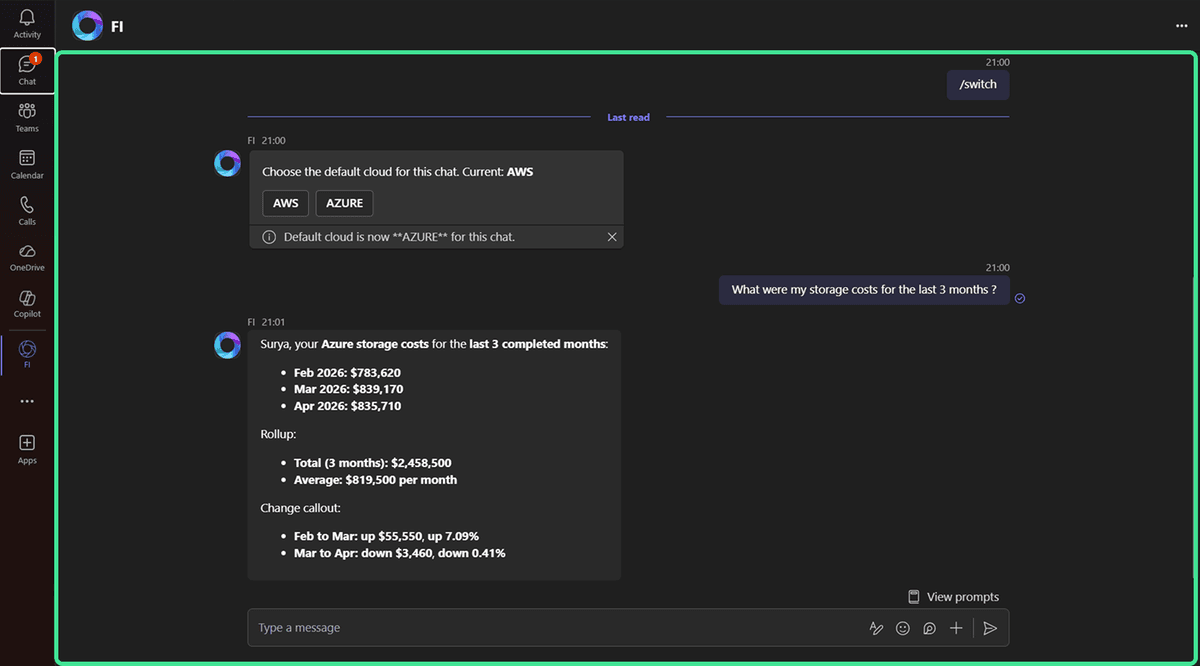
Type your question as naturally as you would to a colleague. FI interprets intent and queries FinOpsly's cloud cost and FinOps data on your behalf. Use HI to start, /switch to toggle between AWS and Azure.
03
Get governed, scoped responses
Every answer is filtered by your organization's role-based access controls. You receive data precisely scoped to the business units and permissions configured for you no more, no less.
04
Act with confidence
Use FI's output to inform analysis and decisions. For material financial decisions, cross-reference with your authoritative billing systems. FI is designed to support, not replace, rigorous review.
Get Started with FI on Teams
Add FI to Microsoft Teams and start getting instant insights on your cloud, costs, and usage.
01
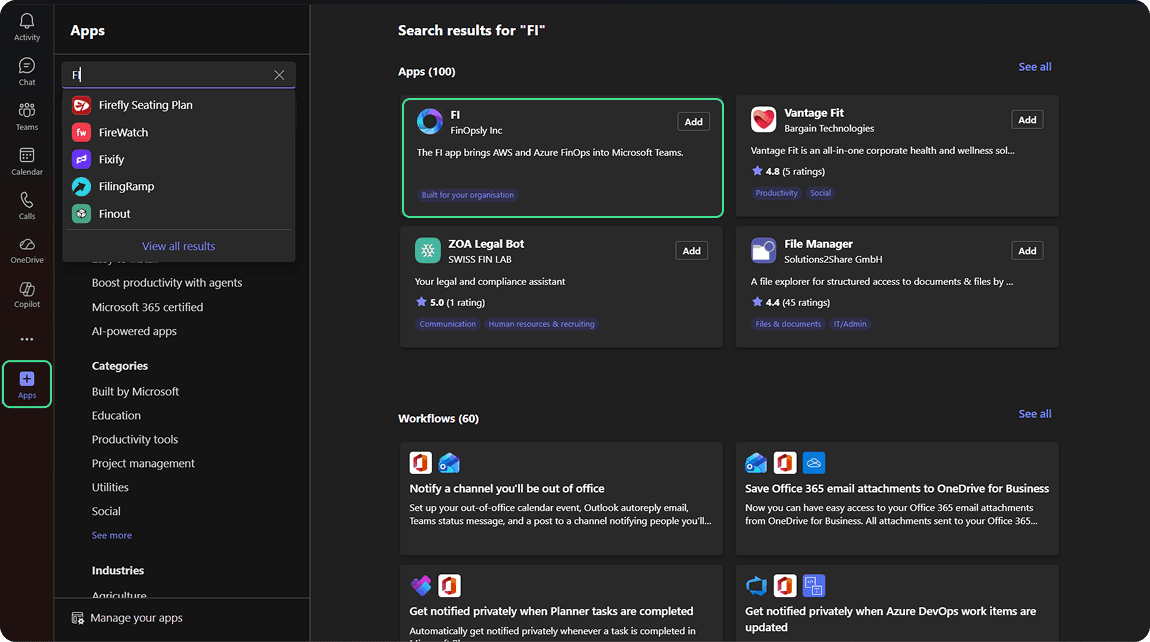
Launch & Search FI
Launch Microsoft Teams and find "FI" in the app marketplace.
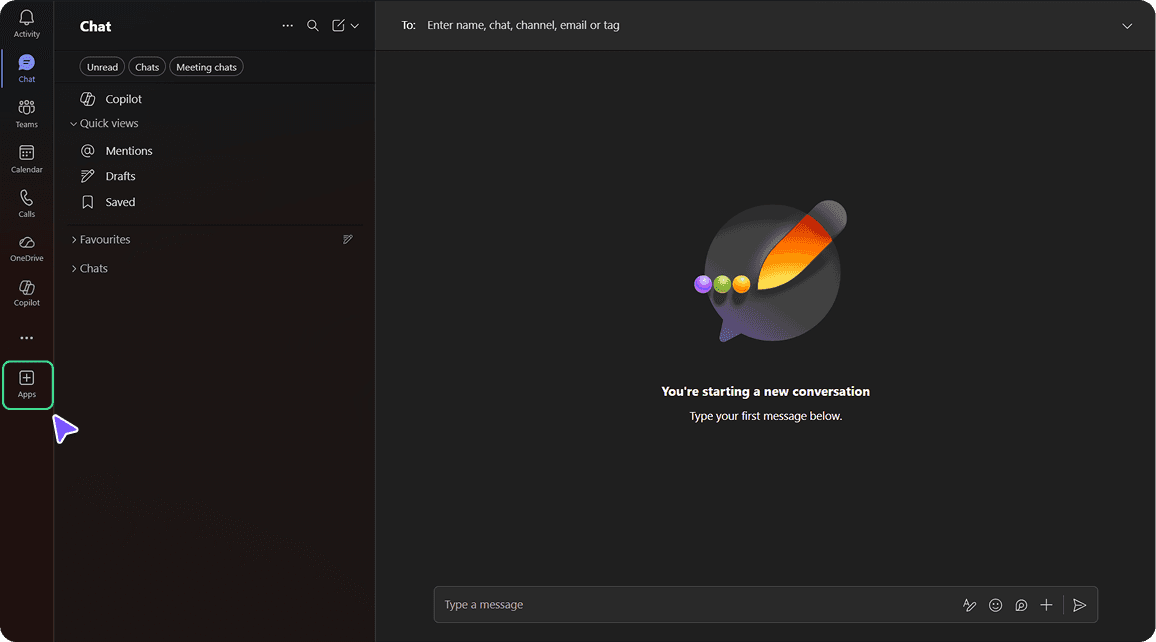
02
Search
Find “FI” in the app marketplace.
03
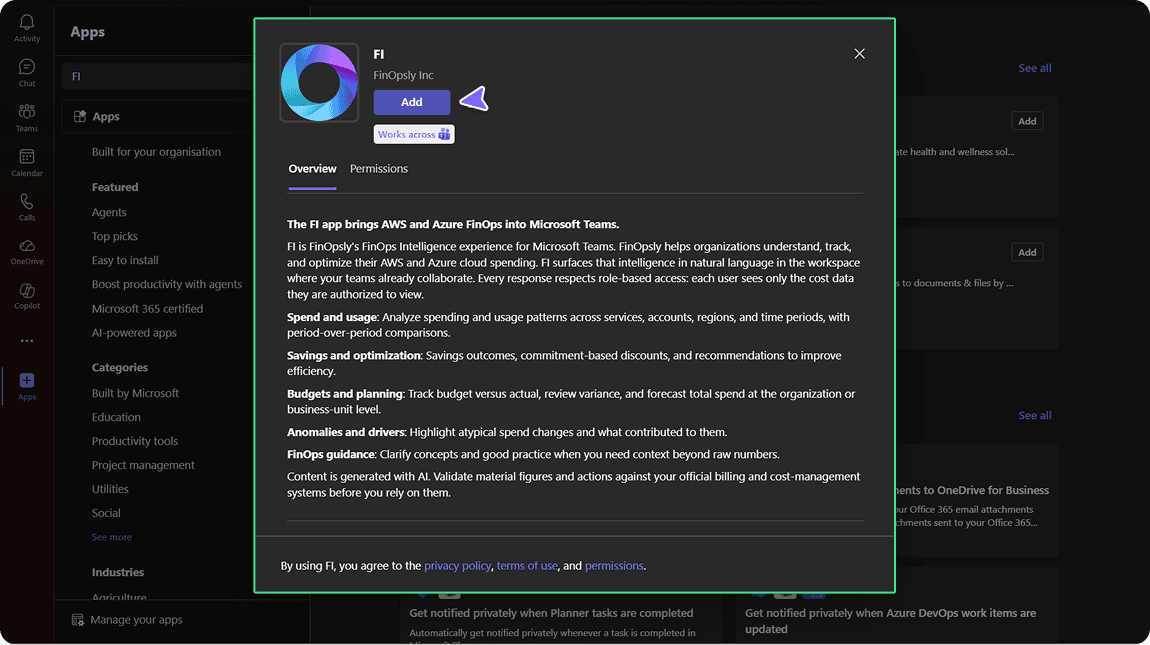
Install
Click Install and approve access.
04
Start Using
Open FI and ask anything about your cloud, costs, usage, or insights.
Designed for the teams who own cloud financial performance
Finance leaders
Cloud engineers
FinOps practitioners
Platform teams
Get Started with FI on Teams
Add FI to Microsoft Teams and bring FinOps insights directly into your workflow. Search, install, and start asking questions about your cloud costs, usage, performance, and more without switching tools.