AI Unit Economics and Cost to Serve: Is Your AI Product Profitable?
Ask a finance leader what their AI assistant costs, and you will get a number. Ask what it costs to serve each customer, and whether that customer pays enough to cover it, and the answer becomes harder to find. That second question is AI unit economics: what it costs to serve one unit of the business, such as a customer, a user, a request or a task, compared with what that unit pays.
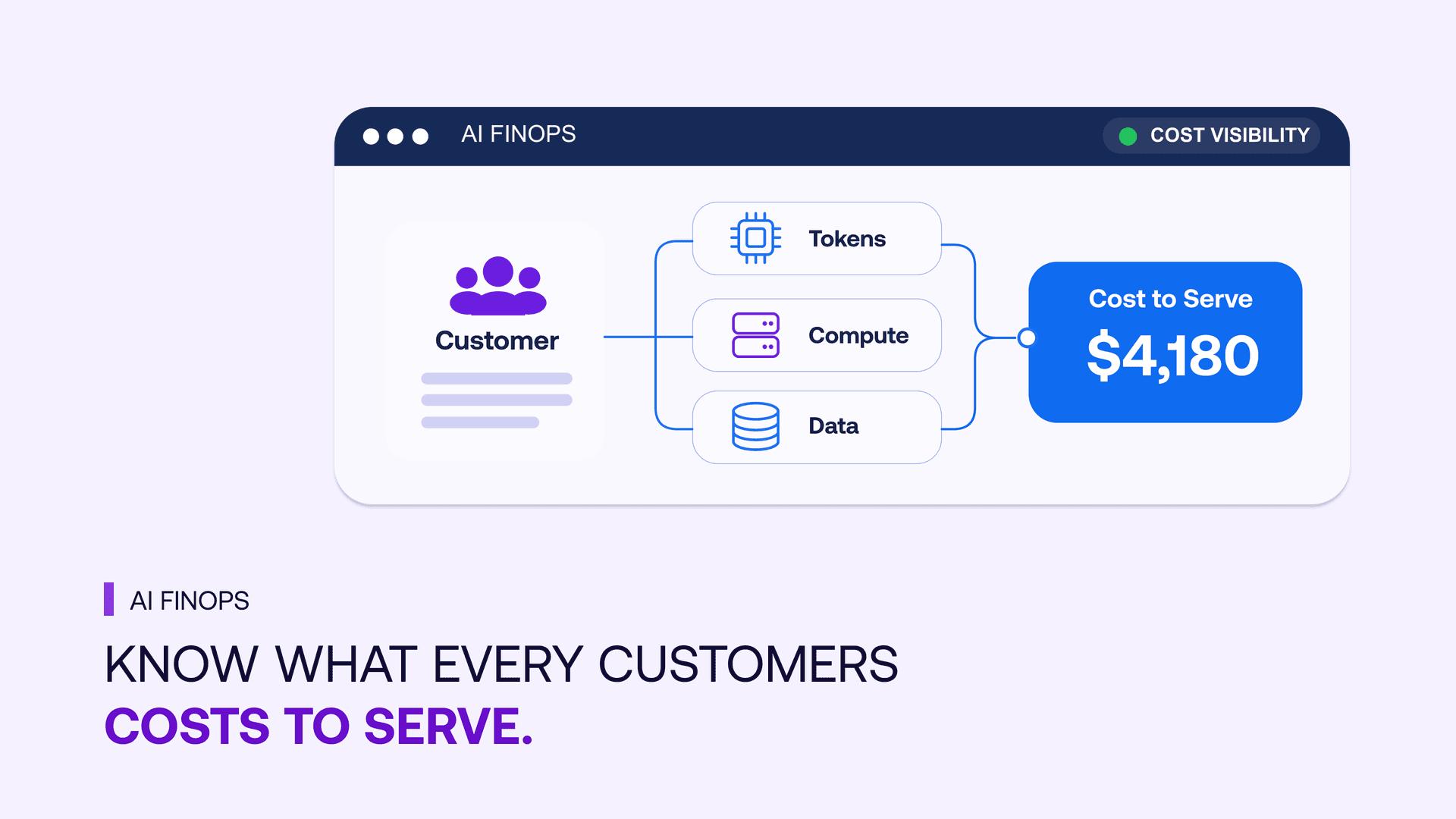
Picture an enterprise-level e-commerce customer with 560 users on an AI discovery assistant. Serving it costs $4,180 a month, or $7.46 per user. The model line on the invoice explains $2,710 of that. Compute adds $1,053 and data another $417, so the model bill captures only about 65 percent of what this customer costs.
The model invoice is the easiest cost to find, so it tends to stand in for the whole cost of the product. Finance is asking something else: does the product make money, and for which customers? Until every cost of serving a customer is tied to what that customer pays, AI product profitability is a guess built on the one line that is easy to see. Once the costs are attached, the guess becomes a subtraction: what the customer pays, minus what it costs to serve them.
AI unit economics starts where the invoice stops
A cloud invoice is organized by service; profit is organized by customers. AI unit economics bridges the two views. The unit can be a customer, a user, a request or a task, and the goal is the same each time: add up everything it takes to deliver the product to that unit, across tokens, compute and data. That total is its AI cost to serve.
Two things make that total hard to see. First, AI usage is often reported on its own, apart from the compute and data that serve it. Second, the labels that connect a resource to the project, team or department that should pay for it, called tags, are added by different people at different times, so they rarely match. The result is costs that are missed or counted twice.
Cost per AI inference is the start, not the answer
An inference is a single model execution, typically triggered by an API request. Its cost is the input tokens you send, the output tokens it writes back, and any repeated input billed at the lower cached rate, each at the provider's price. The cost per AI inference is the smallest unit you can price, and a useful one.
Customers, though, are not buying inferences. They pay for an outcome such as a summarized contract, a resolved ticket or a drafted reply. Each token costs less, but each task now uses far more of them: longer prompts, retrieval, tool definitions, a second model to check the first, agents that loop. Spend is price times volume, and volume has been outrunning price. The result is a bill that climbs even as unit prices fall.
That is why the number to watch is the LLM cost per transaction: every call behind one task, plus the share of compute and data that task relies on. This is the figure to compare against what the customer pays.
How to calculate AI cost per customer
Applying AI unit economics at the customer level takes four steps.
1. Trace every cost to the product it serves, with consistent tags across clouds, so tokens, compute and data add up to one project total.
2. Label every model request with the end customer behind it.
3. Work out each customer's share of the project's tokens.
4. Apply that share to the project's total cost.
If a customer used 20 percent of the project's tokens, then 20 percent of the project's total cost is its AI cost to serve. Divide that cost by the customer's users and you have the cost per user. Divide it across requests or tasks instead, and you have the cost of each one.
One caution: allocating by token share is a simplification. It fits best when compute and data move with usage, so look more closely at any account whose usage is unusual.
A worked example: Is our AI product profitable?
Once you have the cost, profitability is a subtraction. Set the LLM cost per transaction beside what the customer pays for it, and the difference is your profit per transaction. The same holds per customer.
Take the customer with 560 users. Its $4,180 a month splits into $2,710 for tokens, $1,053 for compute and $417 for data, which is $7.46 per user. Now say, hypothetically, it pays $6 per user a month. That is $3,360 in revenue against $4,180 to serve, a shortfall of $820 a month. On the model bill alone, the same customer would have looked like a $650 profit. The missing compute and data is the difference between the two answers.
A blended average can hide this. A product can look healthy overall while a few accounts lose money every month, which is why the question is worth asking per customer, not per product.
How FinOpsly is building cost to serve
FinOpsly is building cost to serve to answer exactly this question: one metric that brings token, compute and data cost together for each project. It is planned to work at two levels.
At the product level, Unified Tags are planned to collect the raw tags on every resource across AWS, GCP and Azure and tie each one to its cost consistently, so every cost traces to the right project, team or department. At the customer level, a Python SDK is planned to label each LLM request with the end customer or user behind it, and the plan is for FinOpsly to apply that customer's share of the token usage to the project's total cost across AI, compute and data. The SDK covers AI token usage only; compute and data come in through the Unified Tags.
Engineers could then ask Ask FI in plain English, in Teams or GitHub Copilot, "What did it cost to serve a customer last month?" and get the split between tokens, compute and data, with a drill-down to each user. The aim is to give finance one view of AI unit economics across the whole stack, and to show product leaders where price and cost drift apart. What to do about it, whether to reprice or cap usage, stays with your team.
Then decide what to change
When AI unit economics is visible by customer, you have three ways to respond. Reprice or re-tier the accounts that cost more than they pay. Lower the cost of the jobs that drive the bill, by matching each job to the right model and using caching and batching, as we describe in how to cut AI model costs without hurting output quality. Or put limits on usage that outrun the contract. Start with the accounts furthest underwater, not with a company-wide program.
The takeaway
AI product profitability does not have to wait for quarter end. It is a calculation you can run per customer once every cost is attached to the right one. Trace the costs, label the requests, apply each customer's share, and compare the result with what they pay. Reviewed regularly, AI unit economics gives finance and product the same number to act on, before the invoice forces the question.
Which of your AI customers would you guess costs more to serve than it pays, and could you prove it?
Frequently asked questions
What is AI unit economics?
AI unit economics is what it costs to serve one unit of the business, such as a customer, a user, a request or a task, compared with what that unit pays. It covers tokens, compute and data, not just the model invoice.
How to calculate AI cost per customer?
Trace every cost to the project it serves with consistent tags across clouds, label each model request with the customer behind it, work out each customer's share of the project's tokens, and apply that share to the project's total cost. If a customer used 20 percent of the tokens, 20 percent of the total cost is its cost to serve.
Is allocating AI cost by token share accurate?
It is an approximation. It works best when compute and data costs move with usage. If an account has unusual traffic, heavy data use or a dedicated setup, review it separately instead of relying on the token split.
Is our AI product profitable?
Subtract what each customer costs to serve from what that customer pays. A product can look healthy on average while some accounts lose money every month, so ask the question per customer, not per product, and decide on pricing or usage limits from there.
What is cost to serve for an AI product?
Cost to serve is the total cost of delivering an AI product to a customer across tokens, compute and data. It can be broken down per user, per request or per task and rolled up to the customer, so finance and product work from the same number.
Why is cost per inference not enough?
An inference is a single model call, but customers pay for outcomes such as a resolved ticket or a drafted reply. One task can take many calls plus the compute and data behind them, so cost per transaction is the number to compare against price.
Learn how FinOpsly governs AI spend with AI cost governance.